

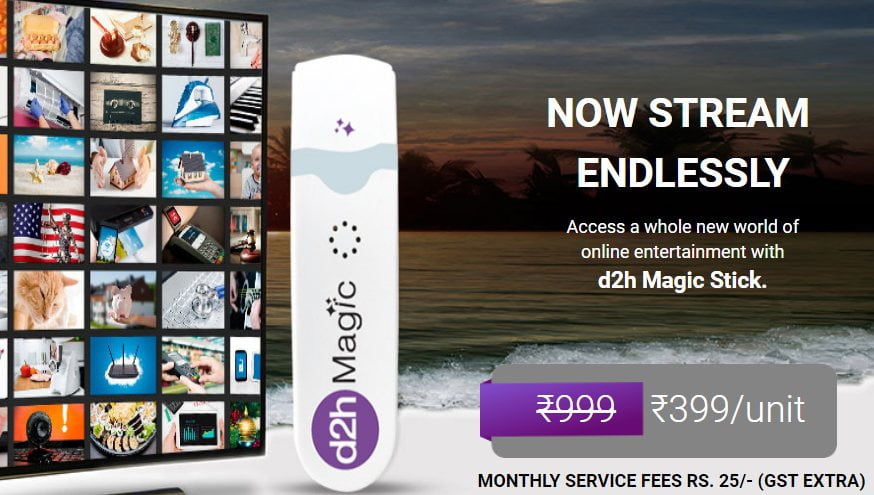
d2h Magic is a streaming device which bridges the gap between Live TV and content from OTT services
DTH operators are coming up with new solutions to allow users to stream content from the popular OTT services available in the market right now. Similar to the DishSMRT streaming stick, D2h also introduced a new stick called ‘d2h Magic.’ For the unaware, D2h is now owned by Dish TV, so the d2h Magic is pretty much identical to Dish TV’s DishSMRT stick.
The d2h Magic stick connects to a D2h Set-Top Box and customers should have an active internet connection to stream content from OTT apps on the television. That said, D2h says the d2h Magic works with the D2h V700 HDW RF Set-Top Box. The d2h Magic stick is available at an introductory price of Rs 399 to the customers, post which the operator will increase the price. The DishSMRT stick is available for customers at Rs 599, so the Rs 399 price is pretty reasonable.

How Can D2h Subscribers Avail d2h Magic Streaming Device?
D2h existing customers can head over to the company’s website to order the d2h Magic stick, or they can call 1800 1370 111 to order the product. Do make a note that the d2h Magic device will cost the subscribers Rs 399 one-time charges. After three months, subscribers will have to pay Rs 25 (excluding taxes) every month to watch the content from OTT services. According to D2h, the d2h Magic stick works with D2h V7000 HDW RF Set-Top Box. Dish TV also confirmed that the d2h Magic would be available in all major cities.
How to Get Started With d2h Magic Stick?
After purchasing the d2h Magic Stick, subscribers will have to connect it to one of the USB ports of the Set-Top Box. After connecting, D2h subscribers are required to connect their latest d2h Set-Top Box to available Wi-Fi network or mobile hotspot through the ‘d2h Magic’ device, which is connected to the USB port of set-top box. The device will be available with a single remote control for everything and a unified interface, says the company.
d2h Magic Stick: Features Detailed
d2h Magic is a streaming device that bridges the gap between Live TV and content from OTT services. Dish TV says the device comes with a huge library of digital videos and access to free content across other apps. It seems like the paid content from streaming services will not be available for free to d2h Magic users. Users will be able to stream content from OTT services like ALTBalaji, ZEE5, Hungama Play, SonyLIV and Watcho (Dish TV’s own content app)
Right now, we don’t have any info regarding the availability of Netflix and Amazon Prime Video on the d2h Magic stick. The d2h Magic also comes with a dedicated Kids section where children can browse a selection of rhymes, learning and educational videos, arts and craft videos and much more.
d2h Magic vs Tata Sky Binge: Which is Better?
Dish TV has the DishSMRT streaming stick for a while now, but earlier this year, Tata Sky intensified the game by launching the Tata Sky Binge service. With Tata Sky Binge, the DTH operator is providing Amazon Fire TV Stick Tata Sky Edition and charging Rs 249 from the subscribers.
The Rs 249 subscription charges also include premium access to all the popular OTT services like Hotstar, ZEE5, and others. According to Tata Sky, the Binge service offers more than Rs 1,000 worth subscriptions at Rs 249 per month. The case is pretty much similar to d2h Magic as well, but the company is not providing any premium OTT service subscriptions to the customers and charging Rs 25 as monthly charges.
