

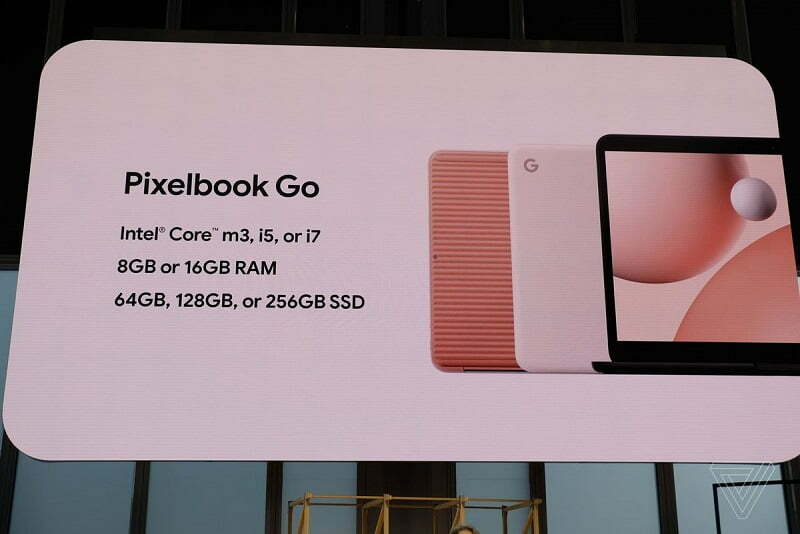
Pixelbook Go pre-orders start today in the U.S. and Canada, and in January in the U.K.

Google Pixelbook Design with purpose:
Each design element on Pixelbook Go was built for people who are always on the go. The first thing you’ll notice is the sleek matte finish. That finely painted magnesium casing keeps Pixelbook Go as light as possible while still feeling solid.
And whether you’re running to a class or a meeting, the grippable design of Pixelbook Go makes it easy to carry, and up to 12 hours of battery life keeps the laptop running as long as you are. Even better, you’ll get two hours of battery on just 20 minutes of charging. Made for Google sleeves and these general care suggestions can help keep your Pixelbook Go in tip-top shape.

A huge part of the design of any laptop is its keyboard. Nobody wants to be that loud typer clacking away at their local coffee shop. We took the premium keyboard from Pixelbook and made it more affordable. So rest assured loud typers, we’ve got your back with our quiet Hush Keys.
Under the hood, Pixelbook Go has the same high-performance components you’ve seen in other Made By Google computers. It starts up in seconds and stays fast with automatic updates, so you can count on speedy performance over time. And with built-in security on Chrome OS, Pixelbook Go is both fast and secure. You also have access to all kinds of apps, whether you want to express your creativity, get stuff done or just kick back to watch your favorite show.
As it has with Pixel phones in the past, Google has opted for a painted metal finish on the Pixelbook Go. The body is made out of magnesium instead of aluminum, and Google tells me that Magnesium apparently has a better strength-to-weight ratio, which meant it could use less material and keep the cost down.
The most noticeable physical attribute is on the bottom, which is ribbed for an easier grip. On the pink model, it is a loud shade of orange that actually looks great in person. Though it looks rubberized, it’s the same material as the rest of the laptop.
Set aside that design pop and the most important design note is that the Pixelbook Go is defined by soft, rounded corners. The edges of the laptop curve into each other gently, making the whole thing a sort of giant, flattened lozenge.

The keyboard is flanked by two long speaker grilles, and when you’re looking at it opens, it definitely gives off MacBook vibes — in an alternate reality where the MacBook had a good keyboard. There are two USB-C ports — one on each side — and it supports fast charging.
Google says you can get “two hours of use in just 20 minutes of charge.” There’s a headphone jack, too, which is a blessing given Google’s dicey history with Bluetooth on Chromebooks.
Google Pixelbook Cost & Variant:
Google is offering four different configurations, and here they are:
- $649 (INR – 47,000): 8GB RAM, 64GB SSD, FHD, 8th Gen Intel Core m3
- $849 (INR – 61,000): 8GB RAM, 128GB SSD, FHD, 8th Gen Intel Core i5
- $999 (INR – 71,500): 16GB RAM, 128GB SSD, FHD, 8th Gen Intel Core i5
- $1,399 (INR – 1,00,000): 16GB RAM, 256GB SSD, UHD, 8th Gen Intel Core i7
