

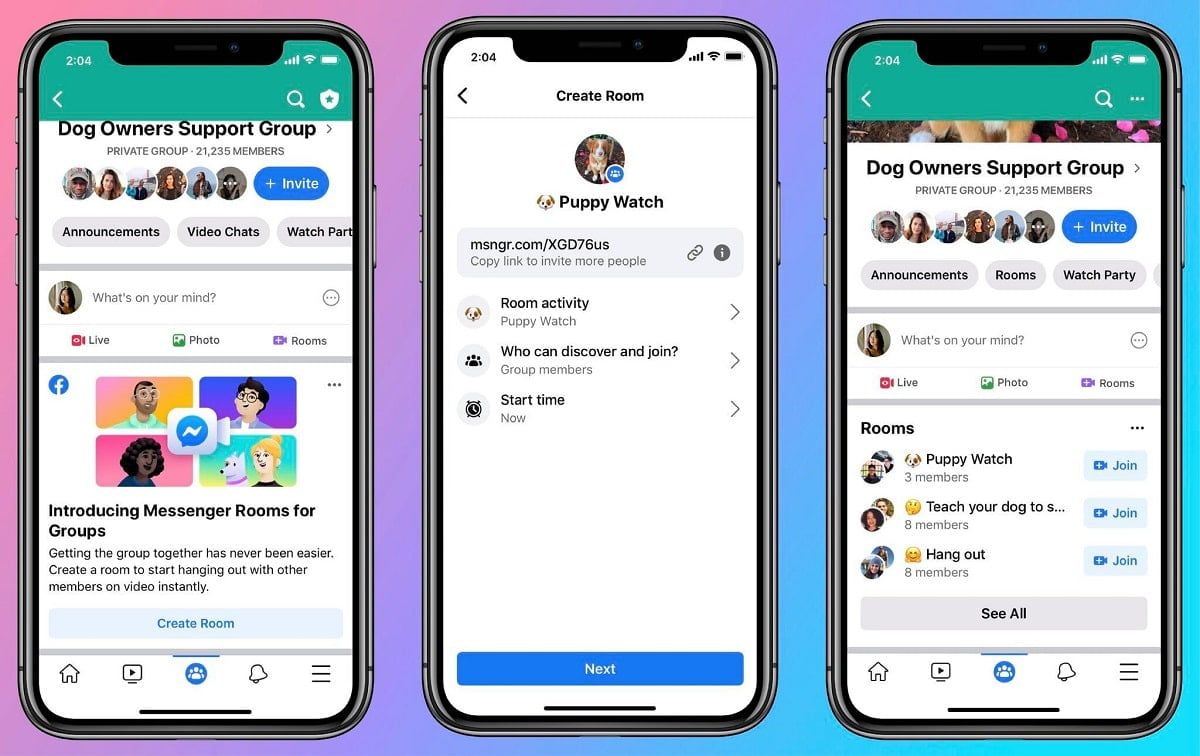
Recently, WhatsApp messenger room service has been added. Through this new feature, up to 50 people can be talked at the same time.
Facebook-owned instant messaging app Whatsapp keeps adding new features every day. Recently, a new messenger room service has been added to Whatsapp. Through this new feature, up to 50 people can be talked at the same time. At present, due to the coronavirus epidemic, most people are doing work from home. In this case, this new feature will help users a lot to connect with their office colleagues or friends. Through this, communication gaps between friends and acquaintances can be filled, because due to Coronavirus people are getting out less and less. Due to which the people-to-people mix has reduced. In such a situation, this service is going to help people a lot.
Messenger Rooms allow you to call and spend time together with family, friends, and people you share interests with. Using the Messenger app or by opening the Messenger website in your mobile or web browser, you can create rooms where larger groups can be on a video chat. You can then send invite links to your contacts and group chats in WhatsApp so they can join these rooms, even if they don’t have a Facebook account or the Messenger app.
You can access Messenger Rooms from shortcuts within WhatsApp that switch you to the Messenger app or the Messenger website in your mobile or web browser. Messenger is a separate app and website, so when you create a room, you’ll need to log in with your Facebook account. Once you create a room, you’ll have the option to lock your room to prevent new people from joining, or you can leave your room unlocked. Rooms take place outside of WhatsApp, and video chats in Messenger Rooms aren’t end-to-end encrypted.

Any WhatsApp user you share a room link with can join a room that’s unlocked, so only share this link with trusted individuals. It’s possible for someone to forward the link to other people. If so, those other people can also join the room, even though you didn’t send them the link directly.
Messenger Rooms is a feature that’s owned and created by Messenger. Since Messenger and other Facebook products don’t support all the languages WhatsApp is available in, you might see some pre-populated messaging or links from Messenger in a different language from your phone or computer’s language. When you use Messenger Rooms or other Facebook products, their own terms and privacy practices will apply to your use of those services.
How To Create Messenger Room
According to the FAQ page of Whatsapp, to create a messenger room, first open Whatsapp and after that, you will have to go to the Call tab. After going to the Call tab, you will see the option of Create Room. After clicking on it, go to the Messenger option and click on Continue. By doing this, it will redirect you to the Messenger app or Messenger website through a mobile browser. This is because this feature works outside Whatsapp. Then tap on try it.
You have to tap on Create Room as soon as you tap on Try It. After which enter the room name. After this, you click on send link on WhatsApp. After this, WhatsApp will re-open again. As soon as WhatsApp re-opens, you can add your contact to it. If you want to share the link of this messenger room with someone, you can go and share it in a group chat.

Creating a room in the Facebook Messenger app is quite easy. For this, you have to go to the People tab. Here you will see the option to create a room. Once the room is created, then you can invite it to your messenger room by sharing its link with your friends, friends, etc. In this way, you will be able to connect 50 people simultaneously through a video call.
