

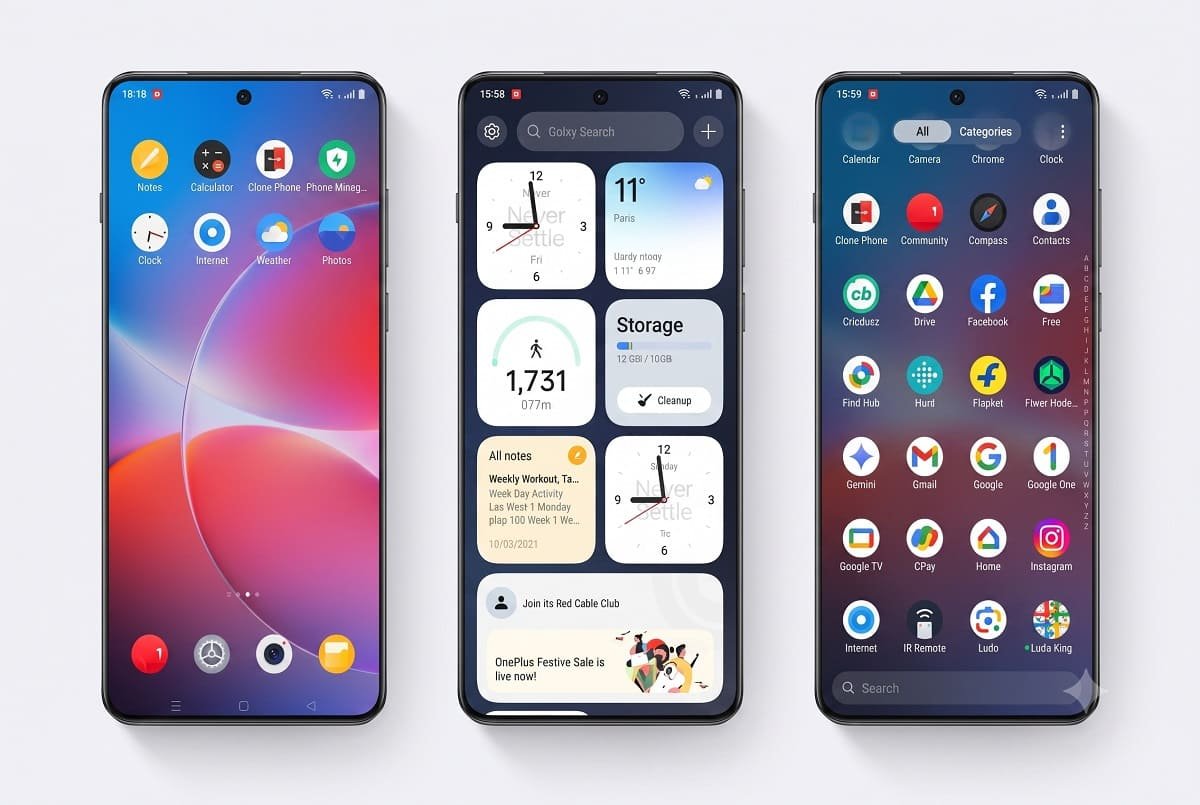
OnePlus has started rolling out Android 17-based ColorOS 17 to select smartphones and tablets ahead of its original schedule. The update marks a major change for OnePlus users in India, as the company moves away from OxygenOS in favour of OPPO’s software platform.
The stable rollout began with the OnePlus 15 and OnePlus Pad 4, which were originally scheduled to receive the update from October 29, 2026. Reports and OnePlus Community announcements indicate that the rollout started earlier, with additional eligible devices also beginning to receive updates in stages.
The transition brings a significant change to the OnePlus software experience. OxygenOS 16 was the last OxygenOS generation before the shift to ColorOS 17, which is based on Android 17.
OnePlus ColorOS 17 Update: Eligible Devices and Rollout Schedule
OnePlus has outlined a phased rollout covering flagship smartphones, Nord-series devices and tablets. The schedule below reflects the announced timeline; actual availability can differ depending on the device, region and software build.
| Rollout timeline | Eligible OnePlus devices |
|---|---|
| October 2026 | OnePlus 15, OnePlus Pad 4 |
| October 30 onwards | OnePlus 15R, OnePlus 13, OnePlus 13s |
| November 2026 | OnePlus Open, OnePlus 13R, OnePlus 12, OnePlus Nord 6, OnePlus Nord CE6, OnePlus Pad 3 |
| December 2026 | OnePlus 12R, OnePlus 12R Genshin Impact Edition, OnePlus 11, OnePlus Nord 5, OnePlus Nord CE6 Lite, OnePlus Nord CE5, OnePlus Pad 2, OnePlus Pad Go 2 |
| Q1 2027 | OnePlus Nord 4, OnePlus N6, OnePlus N6x, OnePlus N6 Lite, OnePlus Pad Lite |
The dates are rollout targets, not a guarantee that every device will receive the update on the same day. OnePlus generally distributes major software updates in batches, so some users may need to wait longer than others.
OxygenOS Is Giving Way to ColorOS
OnePlus and OPPO have shared software development roots for years, and the two platforms have gradually become more similar. Moving eligible devices to ColorOS 17 brings the software strategy closer to a single platform across the group.
For OnePlus, consolidating development could help reduce duplicated engineering work and make it easier to deliver updates and features across supported devices. However, the transition also marks the end of OxygenOS as a distinct software identity for devices moving to Android 17.
Existing users should note that the change is not necessarily a forced upgrade. OnePlus has said eligible customers can choose whether to move to ColorOS 17. Users should check the instructions for their particular model before updating, especially if they want to retain their current software experience.
The availability of rollback options may depend on the device and the company’s subsequent guidance. Users should not assume that switching back will be straightforward or available indefinitely.
What Is New in ColorOS 17?
ColorOS 17 is based on Android 17 and combines Google’s Android platform changes with OPPO’s own interface, performance improvements and AI features.
One of the main changes is a refreshed interface with smoother transitions, redesigned visual effects and additional lock-screen customisation. OPPO has also introduced its Luminous Rendering Engine, which is designed to improve how the system renders interface elements and animations.
The update includes AI-oriented features such as AI Mind Pilot and AI Suggest, alongside changes to system applications and personalisation. Availability may vary by device, language, region and hardware capability.
The real-world benefit will depend on the phone being used. Newer flagship devices may support more features than older or lower-priced models, and a major software update does not automatically mean that every device will perform better in every situation.
How to Check for the ColorOS 17 Update
OnePlus users whose devices are eligible can check whether the update is available through the phone’s software-update settings.
- Open Settings on your OnePlus phone.
- Go to System and update or the equivalent software-update menu.
- Tap Software update.
- If ColorOS 17 is available for your device, follow the on-screen instructions to download and install it.
The exact menu names may differ by model and existing software version. If the update does not appear, it may not have reached your device yet.
Before installing a major operating system update, back up important data, ensure the battery is sufficiently charged and use a stable Wi-Fi connection. Avoid unofficial firmware packages unless you fully understand the risks and the procedure is specifically supported for your device.
What OnePlus Users Should Know
ColorOS 17 is a major software transition for OnePlus, but the immediate priority for users should be confirming their device’s eligibility and checking the actual update notification rather than relying only on the published calendar.
The OnePlus 15 and Pad 4 are among the first devices receiving the stable release, while other flagship, Nord and tablet models are scheduled to follow through late 2026 and the first quarter of 2027. The staged rollout means availability will not be identical for all users.
For existing OnePlus owners, the most important change is the move away from OxygenOS to ColorOS on eligible Android 17 devices. Whether that feels like an improvement will depend on personal preferences, device-specific features and how the new interface performs in everyday use.
