

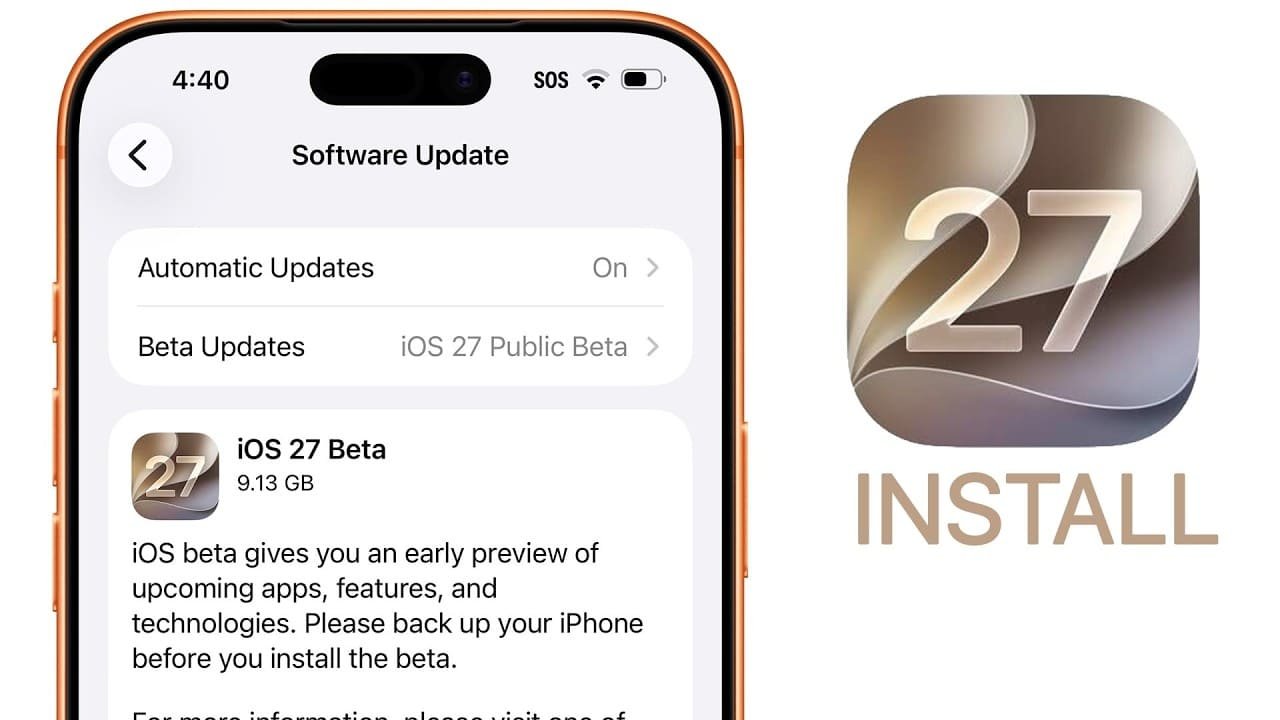
Apple has officially released the Apple iOS 27 public beta, giving iPhone users an opportunity to experience upcoming features before the software’s official launch later this year. The public beta follows weeks of developer testing and is designed to gather real-world feedback that helps improve performance, stability, and compatibility before the final version is released.
If you’re interested in trying the latest features early, it’s important to understand both the installation process and the risks involved. Since beta software is still under development, Apple recommends installing it only on a secondary device rather than your primary iPhone.
Who Can Install the Apple iOS 27 Public Beta?
The Apple iOS 27 public beta is available free of charge through Apple’s Beta Software Program. Anyone with a supported iPhone and an Apple Account can enroll and download the beta after registering their device.
The public beta is part of Apple’s wider digital feature testing program, which also includes preview software for iPad, Mac, Apple Watch, and Apple TV.
How to Install the Preview Software Build
Before you install the preview software build, make sure your iPhone is connected to Wi-Fi and has at least 50% battery or is plugged into a charger.
Follow these technical firmware deployment steps:
- Visit Apple’s Beta Software Program website and sign in with your Apple Account.
- Enroll your supported iPhone in the beta program.
- Open Settings on your iPhone.
- Go to General > Software Update.
- Tap Beta Updates.
- Select iOS 27 Public Beta.
- Return to Software Update and download the available update.
- Follow the on-screen instructions to complete the installation.
The update will install just like a regular iOS software update.
Back Up Your iPhone Before Installing
One of the most important steps before installing beta software is to backup primary device files.
Although Apple thoroughly tests public beta releases, they may still include bugs that could affect apps, battery life, or device performance. Creating a full backup using iCloud or a Mac ensures your photos, contacts, messages, and other important data remain safe if you decide to restore your device later.
A recent backup also makes it easier to return to the stable version of iOS if necessary.
Why Apple Recommends Using a Secondary Device
Public beta software is intended for testing rather than everyday use.
Early builds may include:
- Unexpected app crashes
- Battery drain
- Performance slowdowns
- Connectivity issues
- Minor software bugs
For that reason, Apple advises users to avoid installing beta software on an iPhone they rely on for work or daily communication. Using a secondary device allows you to explore new features without disrupting your regular workflow.
More Than Just an iPhone Update
The latest beta release is part of Apple’s broader software testing cycle. Alongside iOS 27, preview versions are also available for iPad, Mac, Apple Watch, and Apple TV, allowing developers and public testers to experience improvements across the Apple ecosystem.
Apple will continue releasing updated beta builds over the coming weeks as it fixes reported issues and refines new features ahead of the official public release expected later this year.
For the latest tech news, follow TelecomByte on X, Facebook and Google News.
