

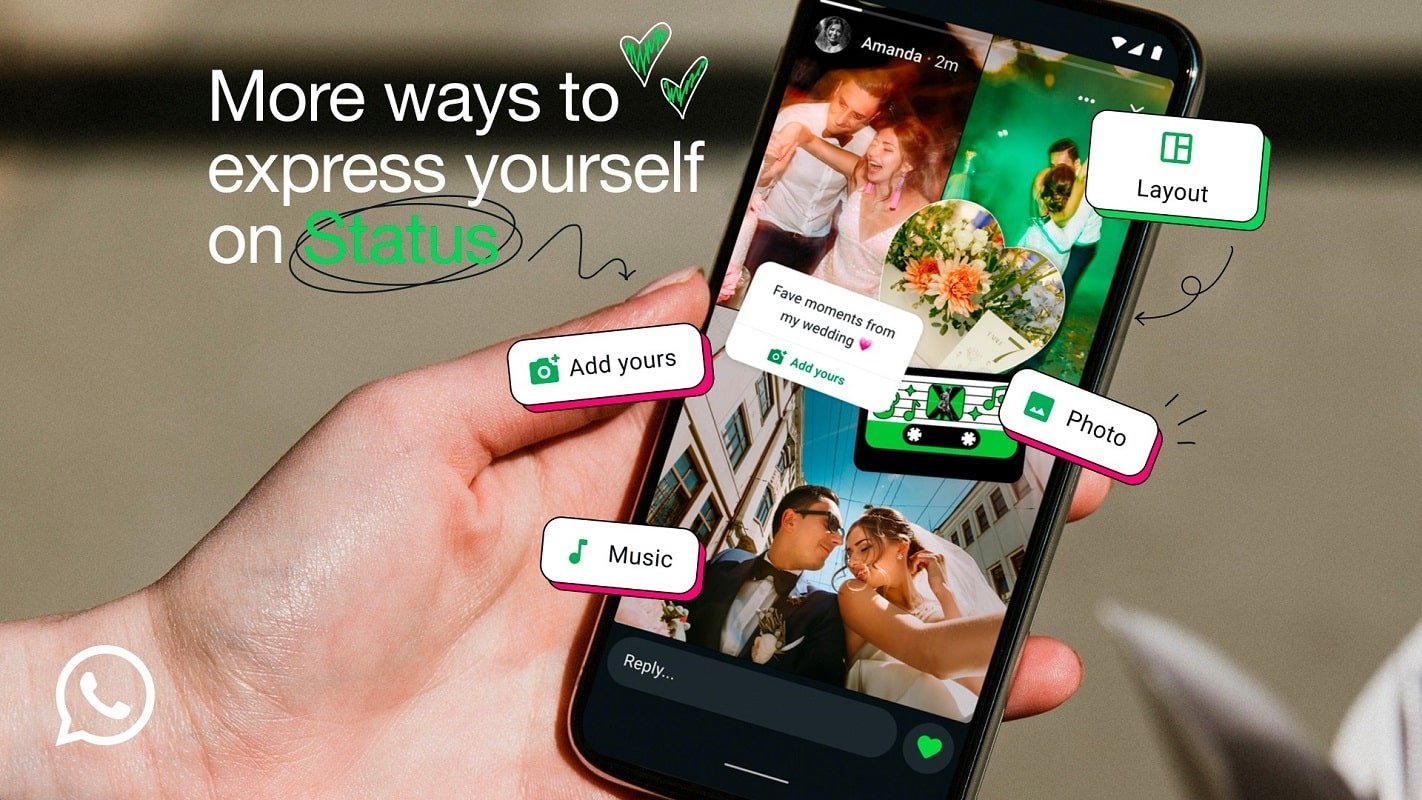
Learn how to add music to WhatsApp Status with this easy guide. Enhance your stories with sound and express yourself like never before.
WhatsApp has evolved into a significant platform for communication, and one of its most engaging features is the WhatsApp Status. This feature allows users to share fleeting updates with their contacts through photos, videos, and text messages that disappear after 24 hours. The essence of WhatsApp Status lies in its ability to provide a glimpse into users’ lives, offering them a way to connect and share moments with friends and family in a more dynamic manner. As such, it is vital for enhancing interpersonal communications and enabling users to stay connected.
Recently, WhatsApp has taken a step further by introducing the ability to add music to these statuses. This new capability not only enriches the visual aspect of shared content but also elevates the emotional connection users can create with their audience. By incorporating music into their statuses, users can express sentiments, evoke memories, or simply entertain their viewers with a carefully curated audio track that complements the visuals.
When considering the addition of music to WhatsApp Status, it is essential to understand the specific limitations imposed on audio content. Users can upload music that is up to 30 seconds long alongside their images and videos, ensuring that the audio clip is brief yet impactful. Moreover, the platform continues to maintain its strong emphasis on privacy, with all status updates being protected by end-to-end encryption. This means that only the intended contacts can view these updates, thus safeguarding the content shared, including music.
Overall, the introduction of music into WhatsApp Status not only amplifies creativity but also serves as a powerful tool for self-expression, enhancing the way users share their experiences with the people who matter most.
How to Access the New Music Feature on WhatsApp
To access the new music feature on WhatsApp, beginning with the user interface is essential. First, ensure that you have the latest version of the WhatsApp application installed on your device. This feature is provided in recent updates, so visiting your app store to check for updates could be necessary if you do not see the music icon. Once you have confirmed your application is up to date, follow these step-by-step instructions.
Start by opening WhatsApp on your smartphone. Upon loading, navigate to the ‘Status’ tab, which is typically located at the lower section of the screen. This tab might be labeled as “Status” among the other options such as Chats and Calls. Once selected, you will see your contacts’ current status updates. To create a new status, tap on the “My Status” option, which generally appears at the top of the status list. This action will direct you to the status creation area.
After entering the status creation interface, look for the new music icon, which should be positioned among other media options like text, camera, and image uploads. The music icon resembles a musical note, and tapping on it will open the music library. Here, users can explore an extensive selection of songs. You may either browse through this curated list of popular tracks or utilize the search function to find specific songs. The library varies by region, ensuring users have access to local and trending music suitable for their Status updates. Selecting a song is straightforward; just tap on your desired track, and it will be added to your status with the option to customize further before posting. This new feature enhances the user experience by allowing creative expression in status sharing.
Selecting and Editing Your Music Track
In order to enhance your WhatsApp status with the perfect music track, the initial step involves selecting the audio you wish to share. This can be achieved by accessing various music platforms or your personal music library, where you can find songs that resonate with the message you want to convey in your status update. Keep in mind that WhatsApp allows users to add up to 30 seconds of audio for each status, so choosing the right segment is essential.
Upon selecting a track, you will find a slider tool that facilitates the precise definition of the audio segment you wish to utilize. This slider enables you to listen to the song while adjusting the starting and ending points, thus ensuring you capture only the most impactful seconds. Whether you want a catchy chorus or a sentimental verse, this feature allows for customization that can elevate your status narrative. Moreover, it’s important to verify the duration; the selected music must not exceed the allowed limit, which is typically set at either 15 seconds for regular posts or up to 30 seconds for particular formats in WhatsApp.
Additionally, before finalizing your music track, you have the option to preview the status audience. This feature allows users to determine who will be able to view their status, providing a level of control over the recipient group. After confirming the audience settings, you can consider making any necessary edits to the audio or the accompanying status text. Understanding these elements not only streamlines the process but also ensures that the final output is polished and engaging, allowing your creative expression to shine through effectively.
Publishing Your Music-Enhanced WhatsApp Status
After selecting the perfect segment of music for your WhatsApp status, the next step is to publish your enhanced status effectively. Begin by reviewing the chosen music snippet to ensure it captures the mood and message you intend to share with your contacts. You can play the selected segment a few times to verify that it aligns harmoniously with your desired visual elements.
Once you have confirmed the music selection, proceed to make any final edits to your status update. This may include adjusting the accompanying image, video, or text that you wish to display alongside the music. WhatsApp provides an array of editing tools that allow for personalization, ensuring that your status is as unique as your musical choice.
When you are satisfied with your edits, you are ready to share your music-enhanced WhatsApp status. Simply locate the send button, which is typically represented by an arrow icon. Click on this icon to publish your status. This action will make your content visible to all your contacts for a duration of 24 hours. It is important to note that during this time, your status will be accessible to your contacts, allowing them to listen and view your curated update.
Moreover, WhatsApp guarantees that all statuses shared are protected through end-to-end encryption. This assurance means that your music-enhanced updates are kept private and secure from unauthorized access, giving you peace of mind as you share your creativity. Each step— from selecting the music to hitting send— reinforces the enjoyment of communicating through this popular messaging platform.
For the latest tech news, follow TelecomByte on X, Facebook and Google News.
