Mobile network operations have evolved past the need for physical plastic materials to establish daily network links. Major subcontinental providers are prioritizing embedded microchips to deliver cellular connectivity for modern consumer portfolios. If you have recently upgraded to an eSIM-compatible device, here’s a step-by-step guide explaining how to activate a Jio eSIM. The modern technique depends on digital self-care software platforms rather than manual physical card installations. Following the correct structural path prevents unexpected signal loss during the service transfer window.
Technical Prerequisites and Device Checks
Before initiating the profile creation sequence, users must verify that their smartphone model contains the necessary hardware modems. Most recent premium releases from major hardware manufacturers natively support multi-profile configurations. Users must ensure that a reliable wireless internet connection remains active throughout the digital configuration phase, as the old network link will drop mid-process.
Every digital profile links directly to a distinct 32-digit Embedded Identity Document number embedded permanently within the phone mainboard.
Account administrators must also confirm that a valid, verified electronic mail address is linked to their cellular profile. This registration is critical because the network distribution hub uses this secure inbox to deliver the required configuration documents. If your current configuration lacks an attached digital address, the profile creation system will automatically decline the initial request.
Detailed Self-Care Activation Roadmap
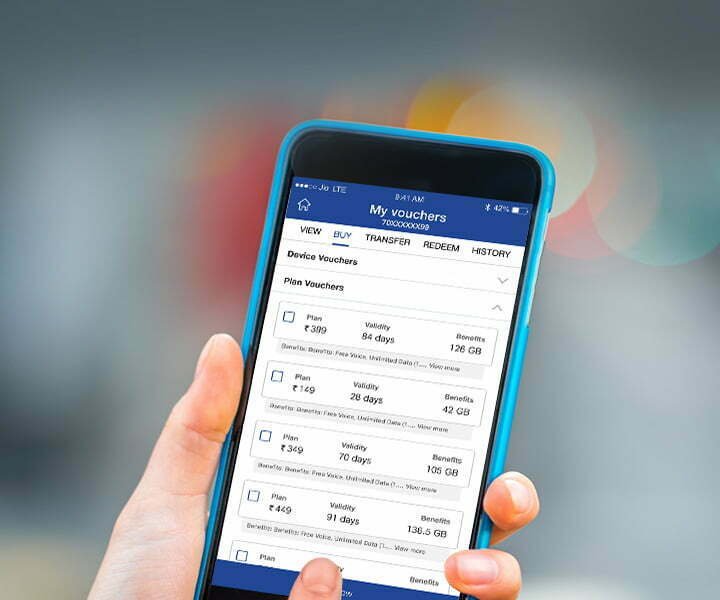
The conversion pipeline leverages the primary application suite to initiate the profile transfer securely without requiring retail outlet visits. The step sequence must be followed precisely to complete the network changeover.
1.Initiate the Switch Request:Requires MyJio App.
Open the primary self-care utility application on your handset. Use the upper navigation bar to search for the specific conversion utility and select the option to modify your physical card state.
2.Enter Identity Records:Verification Phase.
Confirm your current digital address to receive the primary validation credentials. Retrieve the 32-digit identity identifier by inputting standard hardware query codes via the phone dialer interface, then submit the code into the application form.
3.Complete Two-Factor Approval:Cooling Period Launch.
Submit the immediate short-term passcode delivered to your primary mobile line. The state regulatory framework will then activate a mandatory two-hour operational freeze period to evaluate potential identity theft indicators.
4.Confirm the Automated Verification:IVR Call Action.
Answer the incoming automated validation voice call originating from the official regional routing exchange number. Follow the spoken instructions and press the corresponding keypad numbers to grant ultimate project approval.
Profile Setup and Local Hardware Installation
Once the interactive voice response call registers confirmation, the distribution engine delivers an install link or image package directly to your secure inbox. The method to bind this file to your mobile radio shifts slightly depending on your handset ecosystem.
| Handset Operating System | Interface Setting Target | Action Sequence Required | Verification Indicator |
| Apple iOS Platform | Settings > Mobile Service | Choose to add profile link, scan the inbox graphic | Signal bars display updated name |
| Android Standard OS | Settings > Network & Internet | Select network expansion, input the registration code | Cellular data toggle activates |
Users must never select the option to erase or delete the profile once installation begins. Doing so permanently severs the active profile link, requiring a brick-and-mortar retail outlet visit with valid physical documentation to restore standard operational access.
Regulatory Constraints and Security Safeguards
Following the successful registration of the profile on the local hardware, the physical plastic card inside the side tray will completely lose its network attachment. Users can safely remove the obsolete plastic block from the slot at this point. However, a major security rule enforced by the Telecom Regulatory Authority of India immediately takes effect.
Outbound and inbound text messaging functionalities face a total freeze lasting twenty-four hours post-activation. This restriction is designed to block malicious actors from performing instant banking authentication swaps right after moving a number. Daily web browsing and incoming voice conversations remain unaffected during this security period.
Shifting Landscape in the Premium Smartphone Market
The widespread push toward software-driven network identity elements changes how consumers interact with the premium smartphone market. High-end hardware manufacturers are slowly removing physical card slots completely to prioritize space for larger batteries and complex cooling components. This shifts public preference toward all-digital onboarding options.
What happens next involves tracking how regional providers upgrade their international roaming profiles to function smoothly across international borders. Technical teams are continuously refining their application pathways to support quick, automated transfers between adjacent devices using close-range wireless protocols. The long-term plan will eventually see physical cards phased out across mid-range pricing tiers.
Summary
Learning how to activate a Jio eSIM provides users with modern mobility advantages and improved structural device protection. By navigating the secure self-care application pathway, consumers can complete their network changes without the hassle of plastic shipping logistics. Embracing this digital conversion positions your hardware perfectly for upcoming multi-profile wireless trends.