

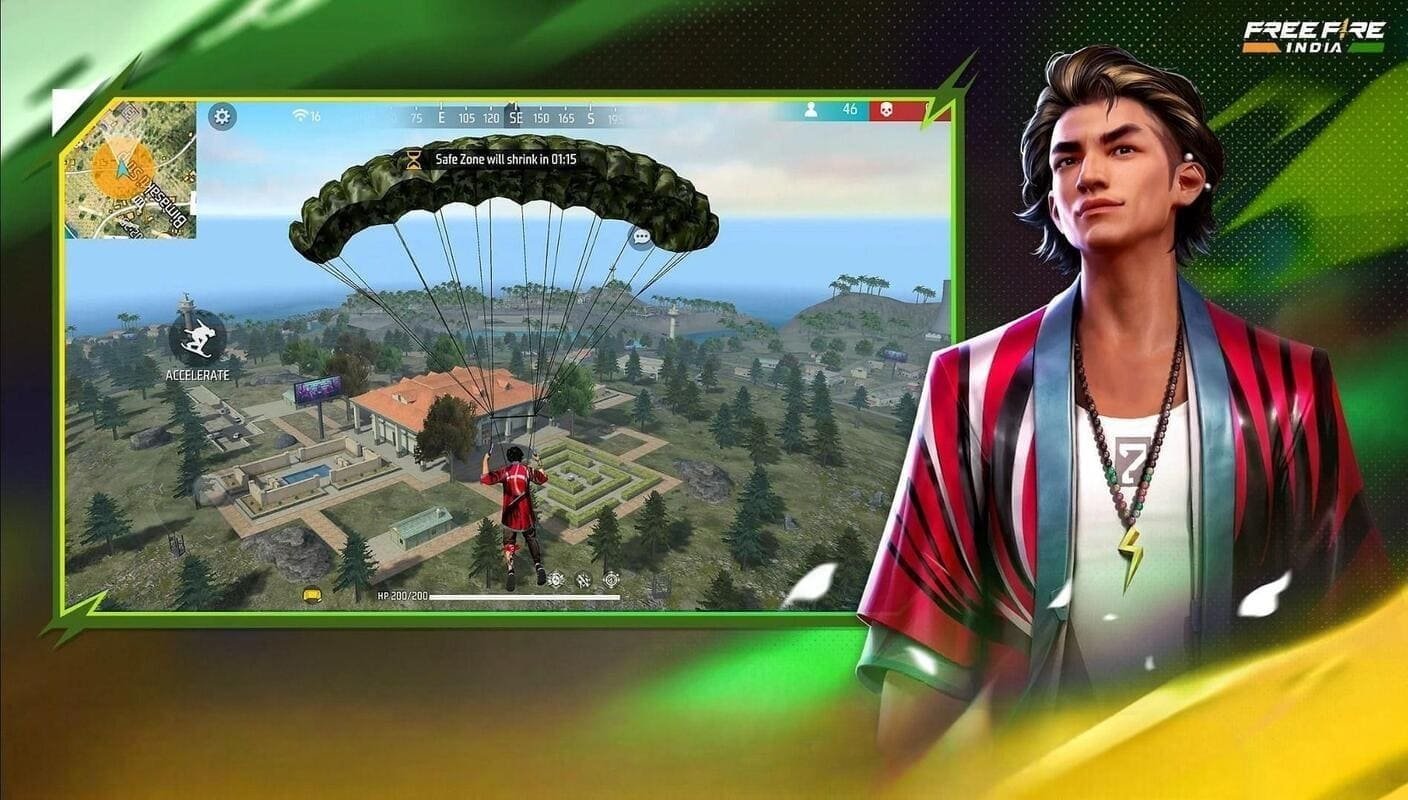
Garena’s Free Fire India is now available for download in India, following its launch on October 28, 2026. The free-to-download mobile battle royale game is available through the Google Play Store and Apple App Store, bringing India-focused content, a Diwali campaign running until November 15, and new safeguards for younger players.
The India-specific version introduces parental consent requirements for users under 18, daily playtime limits, spending caps for minors and regular break reminders. Garena says it has also optimised the game for a broad range of smartphones and plans to support opportunities for Indian players through grassroots, collegiate and international esports initiatives.
For players who have waited for the game’s return, the key questions are how to download the official app, what has changed in the India edition and what parents should know before allowing children to play.
Free Fire India Download: Android and iPhone
Free Fire India is free to download as a standalone mobile application. Players should use the official app stores rather than third-party APK websites.
For Android users:
- Open the Google Play Store on your smartphone.
- Search for Free Fire India.
- Verify that the developer is Garena International III.
- Open the official listing and tap Install.
- Launch the game and follow the on-screen registration or login instructions.
For iPhone users:
- Open the Apple App Store.
- Search for Free Fire India.
- Verify the app name and publisher.
- Tap Get and authenticate if prompted.
- Open the game after installation and follow the registration instructions.
Download links:
If the app does not appear in your store, check your device compatibility and account region. Avoid websites offering modified APKs, unofficial downloads or promises of free in-game currency.
Free Fire India Diwali Campaign Runs Until November 15
One of the launch attractions is a special Diwali campaign that will run until November 15, 2026. Garena says the campaign will feature in-game events and content celebrating India’s diverse cultures and communities.
The company has also said that the India edition has been optimised for a broad range of smartphones. This could help players using different device specifications access the game, although the actual experience will depend on hardware, operating-system compatibility and network conditions.
Garena has not announced every detail of the launch-period content in its initial announcement. Players should check the game’s official channels for event rewards, missions and other announcements rather than rely on unverified social-media claims.
Free Fire India Playtime Limits: Six Hours for Adults, Three for Minors
Garena has introduced daily playtime restrictions as part of its responsible-gaming measures.
| Player category | Daily playtime limit |
|---|---|
| Adults aged 18 and above | Up to 6 hours |
| Players under 18 | Up to 3 hours |
According to Garena’s published policy, the game restricts further gameplay once the applicable daily limit is reached, until the time window resets. Players will also receive reminders encouraging them to take regular breaks.
These are maximum daily allowances, not recommended targets. Parents may want to set stricter limits based on a child’s schoolwork, sleep schedule and other activities.
Parental Consent Required for Players Under 18
Free Fire India requires players under 18 to obtain consent from a parent or guardian before registering. Garena’s official FAQ also says under-18 users must provide a parent or guardian’s mobile number for one-time password verification.
Parents should understand that consent is part of the registration process, not a substitute for supervision. The game includes social features that allow players to communicate with friends and teammates, so children should be reminded not to share personal details, phone numbers, addresses or account credentials with other players.
Garena also advises parents to use the parental controls available on Android and iOS devices to manage app access and in-app purchases.
Spending Caps and In-Game Purchases
Although Free Fire India is free to download, it includes optional in-game purchases. Players can buy diamonds with real money and use in-game currency to purchase characters and other items.
Garena says users under 18 will be subject to spending caps intended to prevent excessive purchases. However, the company’s public launch announcement does not specify the exact monetary limits.
Parents should check the game’s current purchase settings and the controls offered by Google Play or Apple’s App Store. Requiring authentication for purchases and reviewing transaction history can provide an additional safeguard against accidental or unauthorised spending.
What Is Different in Free Fire India?
The India edition retains the familiar survival-shooter format while introducing features aimed at the local market.
India-focused events: The game includes locally relevant content, beginning with its Diwali campaign.
Responsible-gaming safeguards: Parental consent, daily playtime restrictions, break reminders and spending caps for minors are part of Garena’s published policy.
Changes to visual effects: Garena says red blood effects and certain other visuals have been replaced with less stimulating graphical depictions.
Data protection measures: The company says it has introduced enhanced data-protection measures for the India edition, including hosting game data on servers in India.
Smartphone optimisation: Garena says the game has been optimised for a broad range of devices. However, users should check the official store listing for compatibility rather than assume that every smartphone will run it equally well.
These are company-stated features. Their practical effectiveness, particularly the safeguards and performance across different devices, will depend on how they operate in everyday use.
Free Fire India vs Free Fire MAX
Free Fire India is a separate application designed specifically for Indian players. Free Fire MAX, which has remained available in India, is a distinct version of Garena’s battle royale game with its own app listing.
Players should not assume that every feature, event, account option or compatibility detail is identical between the two versions. Anyone planning to switch should check the official game’s account and support guidance before making changes to their existing setup.
The return of the India-specific edition gives players another option, but its long-term appeal will depend on performance, updates, community participation and the support Garena provides after launch.
Why Free Fire India’s Return Matters
The original Free Fire was blocked in India in February 2022 as part of a wider government action against mobile applications. Garena later announced a dedicated India edition in 2023, but postponed its planned September launch.
The October 2026 release therefore represents the return of a game with an established Indian player community after a lengthy delay. Garena is also positioning the launch as part of a broader effort to support local gaming creators and esports talent.
The company says it will collaborate with partners to create opportunities for players, from grassroots and collegiate competitions to international-level participation. It has not, in its initial launch announcement, provided a complete calendar of future tournaments.
What Players Should Check Before Installing
Before downloading Free Fire India, players and parents should keep the following points in mind:
- Download the official application from Google Play or the Apple App Store.
- Check the app’s age rating and device compatibility.
- Ensure parental consent and verification are completed for users under 18.
- Understand the daily playtime rules and available purchase controls.
- Review in-app purchase settings before adding a payment method.
- Avoid sharing personal information or account credentials in chats.
- Follow Garena’s official channels for confirmed events, updates and esports announcements.
Free Fire India Is Back, but Responsible Play Remains Important
Free Fire India launched on October 28 and is available as a free download on Android and iOS. Its Diwali campaign runs until November 15, while the India-specific edition adds parental consent, playtime restrictions, spending caps for minors and other responsible-gaming measures.
The launch gives Indian fans another way to access Garena’s battle royale experience and could create new opportunities for the local esports community. For families, however, the important consideration is not just the game’s return but how its safety settings, purchase controls and daily limits are used in practice.
