

Exchanging contact details with a new acquaintance, joining a hyper-local neighborhood community text circle, or messaging a commercial business vendor has always required giving away one massive piece of personal data: your phone number. Because your mobile number is tied directly to your bank alerts, digital wallets, and personal identification profiles, handing it out to strangers creates obvious security risks.
To address these vulnerabilities, Meta has officially kicked off its highly anticipated global rollout for WhatsApp Username Reservations. Instead of launching the full network update all at once, the messaging giant is opening up early reservations so its massive user base can claim their preferred handles before they are gone.
In this unified rollout guide, we break down the character limitations, outline the security features, and provide a clear step-by-step walkthrough to help you lock in your handle today.
High-Level Matrix of the WhatsApp Username Framework
| Technical Feature | Official Configuration Protocol |
| Rollout Launch Phase | Phased global rollout started June 29, 2026 |
| Core Character Length | Minimum 3 characters | Maximum 35 characters |
| Supported Syntax | Lowercase letters (a-z), numbers (0-9), periods (.), underscores (_) |
| Prohibited Elements | Cannot start with numbers alone; cannot mimic web domains (e.g., .com) |
| Ecosystem Sync Option | Direct matching via Instagram & Facebook Accounts Center |
| Public Search Directory | None (Zero public lookups or algorithm discovery pages) |
| Secondary Security Layer | Optional 4-Digit Security “Username Key” |
Unpacking the Dual-Layer Security Framework
This new setup isn’t just about making your profile look clean; it functions as a comprehensive privacy wall designed to replace phone numbers as your primary identity on the app.
1. Absolute Number Protection
Once the system officially activates later this year, sharing your custom username (e.g., @Name123) allows new contacts to initiate chats or voice calls with you smoothly. Anyone contacting you for the first time via your username will see your custom handle on their screen, while your underlying mobile digits remain completely invisible.
2. The Optional Username Key Moat
To prevent malicious rings from guessing common handles and spamming random accounts, Meta has introduced an optional security tool called the Username Key.
How the Key Works: When you turn on this feature, the app generates a unique 4-digit security code. If a stranger tries to message you using just your username, the app will require them to enter that exact 4-digit key before the text box unlocks. This gives you absolute control over who can message you, and you can change or regenerate the key whenever you want.
Step-by-Step Guide: How to Reserve Your WhatsApp Username
Because WhatsApp supports a massive community of over three billion global accounts, popular names will get claimed incredibly fast. Follow these steps to secure your unique handle.
1.Update the Mobile Application:
Open the Google Play Store or Apple App Store on your smartphone. Search for WhatsApp and make sure you install the latest software build to unlock the hidden username configuration menus.
2.Navigate to Account Profiles:
Open WhatsApp and tap the Settings gear icon. Click on your profile picture at the top of the dashboard, or head straight into Account options to locate the new Username submenu tab.
3.Sync Meta Accounts Center (Optional):
If you want to pull a well-known handle you already own on Instagram or Facebook, click Use Instagram/Facebook Username. The app will verify your identity via the unified Meta Accounts Center to instantly save your matching handle.
4.Verify Availability and Save:
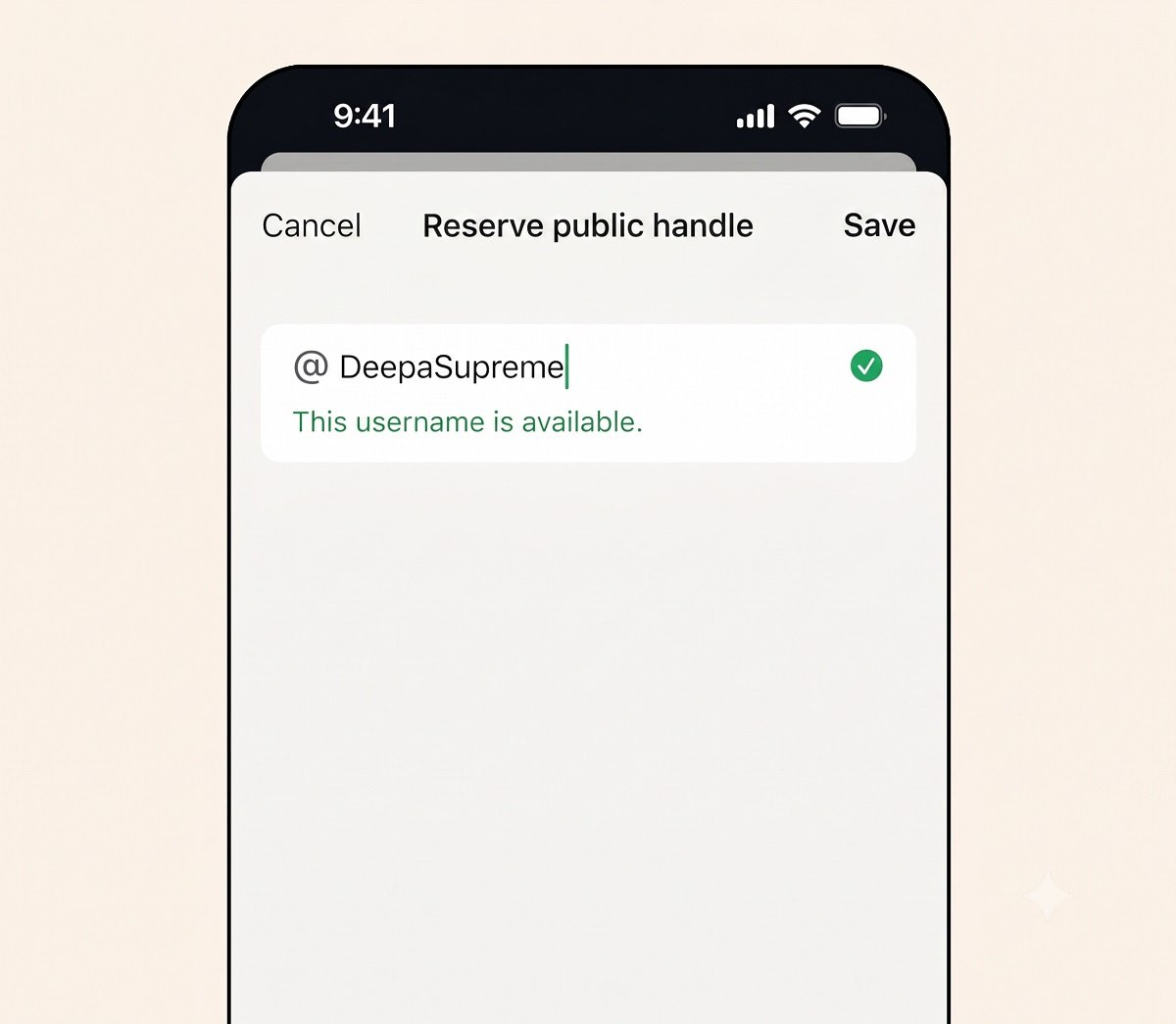
If creating a unique name, type your target handle into the blank field. If the app displays a green checkmark confirming availability, tap Save or Done to officially secure the handle for your account.
Common Pitfalls and Things to Keep in Mind
- Handling the Phased Deployment Wait: If you follow the steps and notice that the “Username” button is completely missing from your settings menu, don’t panic. Meta is deploying this system in gradual regional phases. The app will drop a direct notification onto your chat screen the exact day the reservation window opens for your device.
- The 14-Day Reclaim Rule for Deletions: You have complete freedom to change or delete your handle later on. However, keep in mind that if you delete a reserved username, WhatsApp only holds it in a protective freeze for 14 days. Once that two-week safety window closes, the handle becomes open game for anyone else to claim.
- No Universal Rollover for Clashing Handles: If two separate people own the exact same username across Facebook and Instagram, the matching WhatsApp handle goes purely to the person who links their Meta Accounts Center and claims it first.
Will my close friends and saved contacts still see my phone number on WhatsApp?
Yes, absolutely. This username update is built purely as a protective shield against strangers and new contacts. Anyone who already has your mobile number saved in their phone’s native address book will continue to see your number normally.
Is there a public directory where people can search for my username?
No, there is no public database. WhatsApp explicitly states that there will be no searchable user directories, discovery sections, or algorithmic username suggestions. A person must know your exact spelling to message you for the first time.
Can I reserve my preferred username using the WhatsApp Web or Desktop apps?
No. During this early reservation phase, booking a custom username requires using your primary smartphone device running the latest updated version of the iOS or Android mobile application.
Do I need to register a username to keep using WhatsApp?
No, creating a username is completely optional. If you prefer the classic layout and are perfectly comfortable sharing your mobile number with new contacts, you can completely ignore the reservation menus without affecting your service.
What happens if the common name I want is already taken by someone else?
Because handles must be completely unique to each account, you will need to tweak your choice if your first pick is taken. You can add distinct numbers, underscores, or periods until the system displays a confirmation checkmark.
Can public figures or major corporations have their handles stolen by squatters?
To prevent online fraud, Meta has pre-emptively blocked out and reserved thousands of well-known corporate handles, government profiles, and celebrity identifiers, ensuring they can only be claimed by verified entities.
How many times am I allowed to change my active WhatsApp username?
While you can update your handle if you change your branding, WhatsApp sets a soft limit on how frequently you can cycle through changes in a short period to prevent automated bots from abusing the registration system.
Will enabling a username require me to change how I log into the app?
No. Your underlying phone number remains the core anchor for your account authentication. You will still use your mobile digits alongside standard One-Time Passwords (OTPs) or passkeys whenever you log into a new device.
Can I transfer my reserved username to a brand new phone number later?
Yes, you can easily migrate your saved handle. If you move to a new mobile number, using the native “Change Number” feature inside your app settings will safely transfer your chats and reserved username over to your new SIM card.
Does this new privacy update apply to WhatsApp Business accounts as well?
Yes. Commercial storefronts and creators are highly encouraged to use this reservation phase to claim their handles early, helping them maintain a consistent, secure digital identity across all Meta communication platforms.
Conclusion
WhatsApp’s move into username reservations is one of the most significant upgrades to user privacy since the rollout of end-to-end encryption. By breaking the long-standing requirement of sharing your personal phone number just to chat, Meta gives users unprecedented control over their digital footprints. While the full messaging feature will launch widely later this year, using this early reservation window to secure your unique handle is incredibly smart—especially given the platform’s massive user base. Make sure to keep your mobile application fully updated this week so you can secure your name the second the system goes live in your region.
For the latest tech news, follow TelecomByte on X, Facebook and Google News.
