

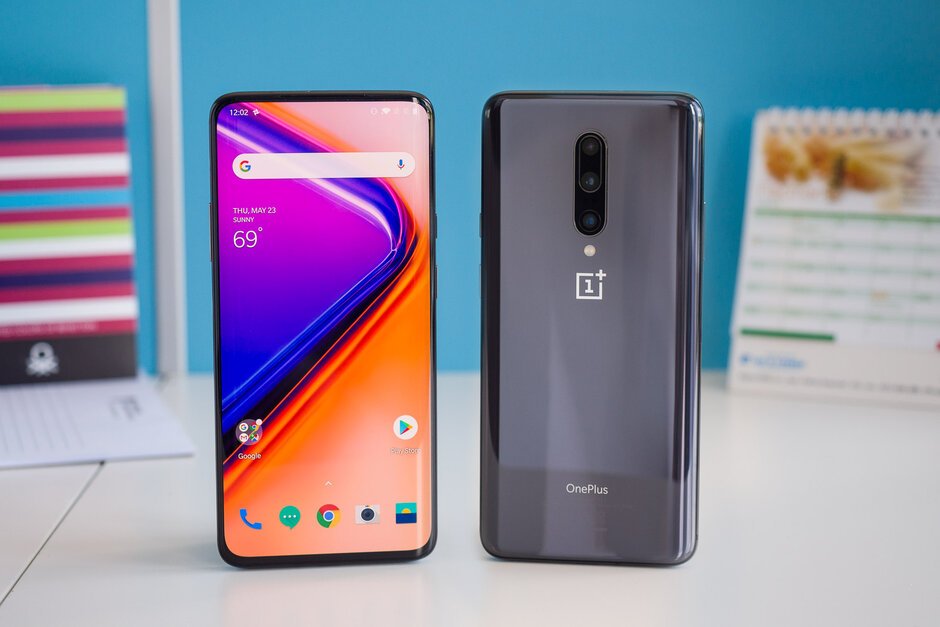
Similar to every major update from OnePlus, the OxygenOS 10.0 also brings some new features to both the OnePlus 7 and OnePlus 7 Pro smartphones
OnePlus has started rolling out the stable OxygenOS 10.0 update based on Android 10 to both its 2019 flagships- the OnePlus 7 and the OnePlus 7 Pro. OnePlus started the rollout last week, but it firmly said the update would be a ‘Phased’ one and will reach only a section of users first.
OnePlus always follows the phased rollout pattern to avoid major bugs. For example, the company takes feedback from the section of users who received the update; If there aren’t any major bugs reported, then the broader rollout will begin, otherwise, the company will halt the rollout and fix the issue before rolling it out again. The OnePlus 7 series is third on the list for receiving the stable Android 10 update besides Pixel and Essential phone. Also, the upcoming OnePlus 7T and 7T Pro are said to come out with Android 10 out of the box.
OxygenOS 10.0 for OnePlus 7 Series: What’s New?
Similar to every major update from OnePlus, the OxygenOS 10.0 also brings some new features to both the OnePlus 7 and OnePlus 7 Pro smartphones. First of all, the entire system is upgraded to Android 10 and there’s a brand new design, again. Android 10 brings enhanced location permissions for privacy, and yes, OxygenOS 10.0 also brings it to the OnePlus 7 series.
Furthermore, there’s a new Customisation section in Setting which allows users to choose icon shapes, fonts, wallpaper, system accent and more. Android 10’s new gestural navigation is now present on the OnePlus 7 series, besides the standard OxygenOS navigation gestures. Gesture navigation in Android 10 adds inward swipes from the left or right edge of the screen to go back and there’s a bottom navigation bar to allow switching left or right or recent apps.
OnePlus also removed the Gaming Mode inside Settings app and it’s now under a new app called Game Space. Game Space feature keeps all the games in one place for easier access and better gaming experience. Both the phones also got Smart Display feature which displays intelligent info based on specific times, locations and events for Ambient Display.
Lastly, the OnePlus Messaging app now allows users to block spam by keywords for Message.
OxygenOS 10.0 for OnePlus 7 Series: How to Download?
Aforesaid, OnePlus confirmed that it’s a ‘Staged’ rollout and there are huge chances that you may not receive it in the first batch. The first batch will be limited to a very small number as the company checks for any major bugs, post which the broader rollout will begin. Right now, we don’t have any info regarding the broader rollout of OxygenOS 10.0 for the OnePlus 7 series, but it will start sometime early next month.
If you can’t wait for the update, a user has pulled the OTA file and it’s available for download from XDA Forums. Alternatively, you can install any VPN app and connect to the German server for getting the OTA update right away. In my case, the German VPN worked and I have updated my OnePlus 7 to the OxygenOS 10.0. But OnePlus suggests users wait for the update instead of updating it via third-party VPN apps. As of now, I did not notice any major bugs inside the smartphone, so you can install it.
